Read the original article here.
Hello, I’m Jason
I am a programmer, machine learning practitioner, and automation enthusiast, originally from Korea. Even though I do not have a CS degree, I fell in love with coding after college and have been learning new things on my own ever since.
Introduction
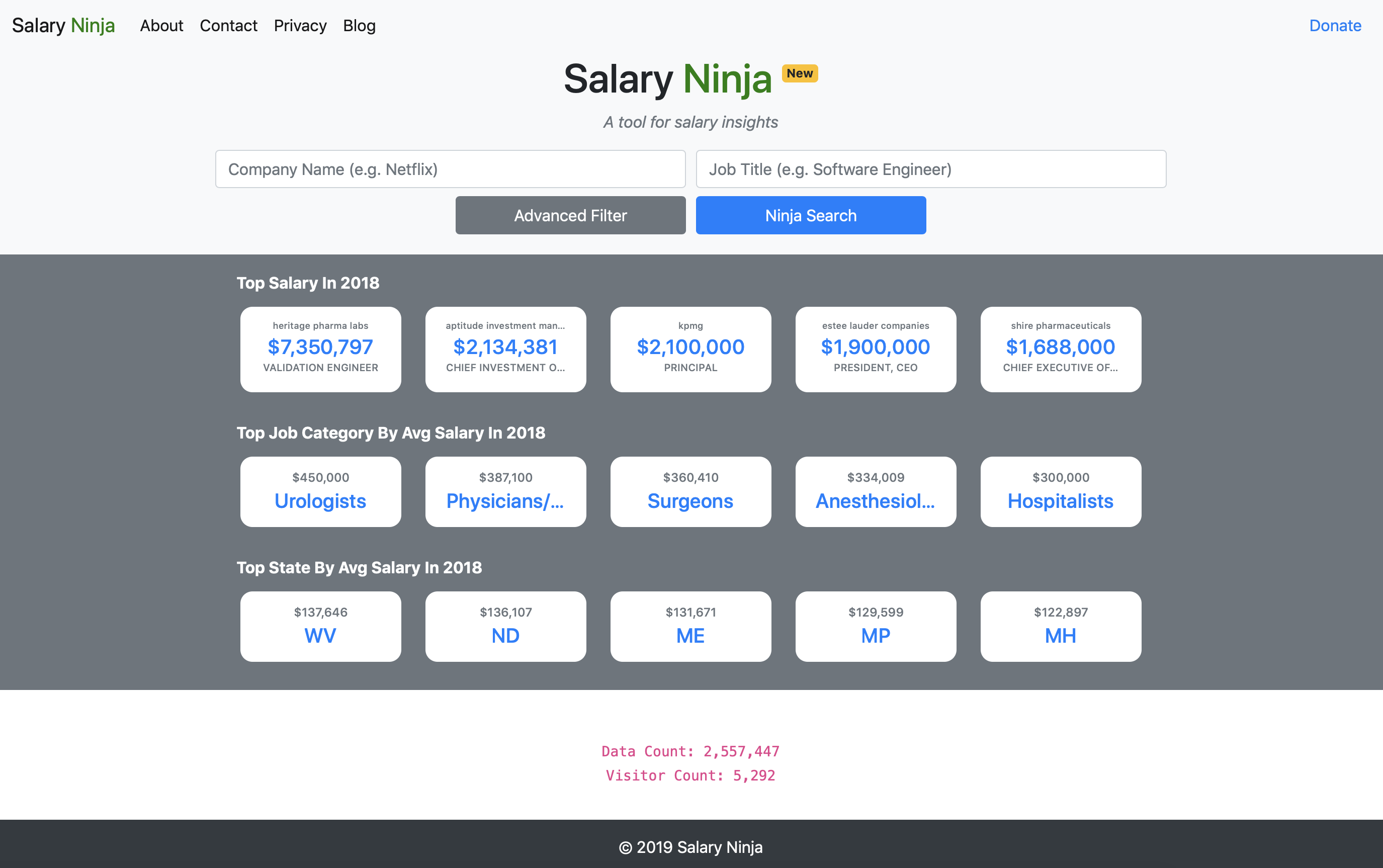
In July 2019, I launched my first web application, Salary Ninja, a tool for salary insights. It took me a total of five weeks while working full-time to learn Django, code, and deploy this application on a server.
As part of becoming a full-stack engineer/problem-solver, I wanted to up my game by tapping into the front-end world. My idea was to build a website where you can search a database and return results with insights. Because I knew nothing about building a web application, I researched different options, tools, and frameworks. I want to share about the process I went through, as it might shed some light for those who want to build one themselves.
Rough timeline:
- Week 1: Formulating idea, researching different frameworks, finding the right tutorials and resources, buying the domain name, etc.
- Week 2: Completing the official Django tutorial
- Week 3: Implementing Salary Ninja back-end with Django
- Week 4: Implementing Salary Ninja front-end, charts, and tables
- Week 5: Deploying on DigitalOcean, adding Google Analytics, and wrapping up
1. Idea
Everything starts with an idea. You can turn your idea into a reality with grit, perseverance, and the belief that you can achieve anything to which you set your mind. What I love about the software world is that once you have an idea, most likely, you can embody it. All you have to do is sit down and find the right resources to carry it out and not give up.
I’ve had this idea to build a website application in the back of my mind for a while. It was when I read this article by Andrey Azimov that I was inspired to kickstart my project by first buying a domain name so that I would be more committed. Working at the world’s largest domain registrar, I had no excuse not to buy one. That’s how I ended up with https://salary.ninja.
Because I had spent my precious money to buy the domain name, I was definitely more committed to solving this problem as soon as possible.
2. Back End — Django vs Node.js
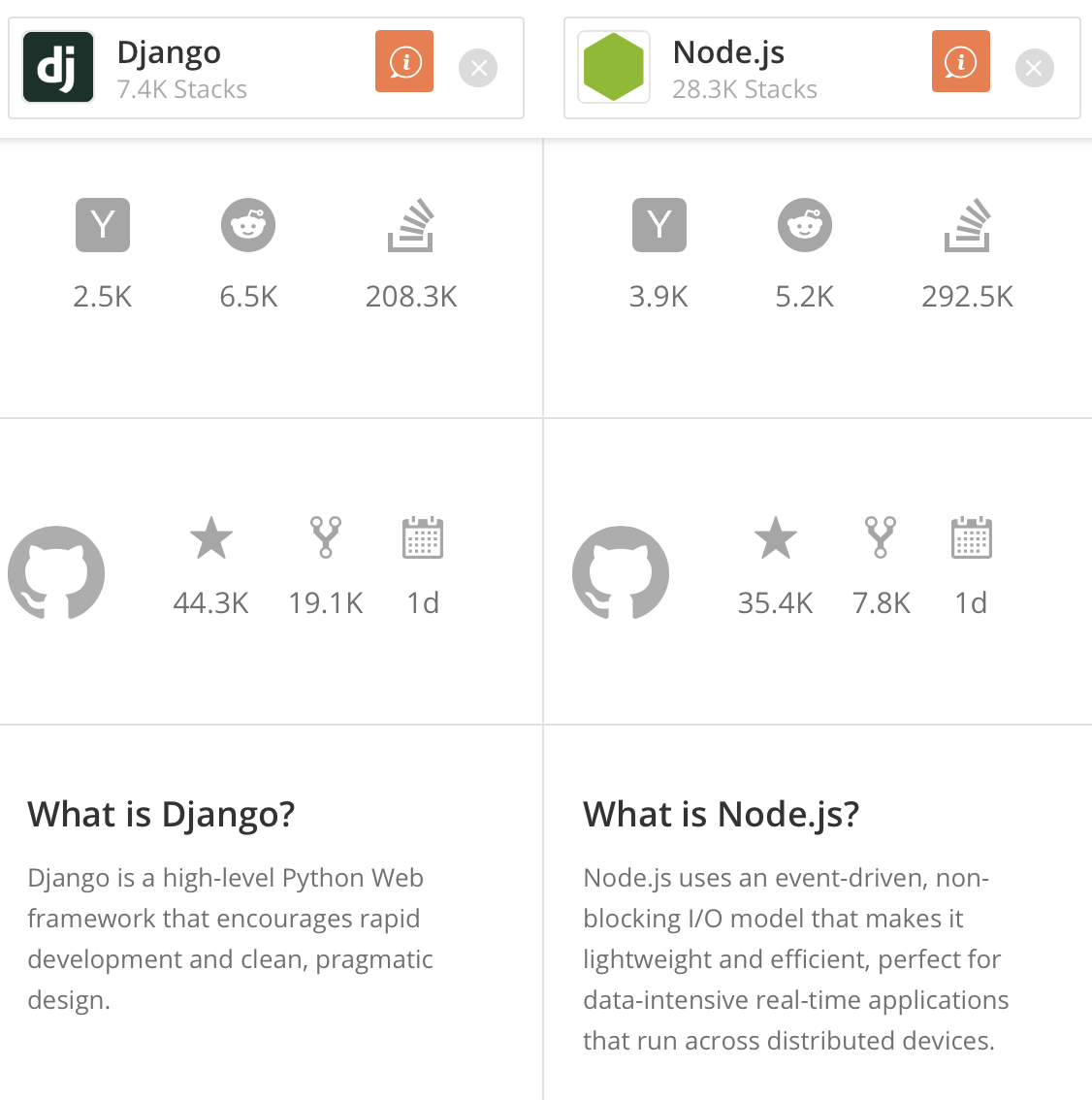 Screenshot from StackShare.io
I’ve used some HTML and CSS before but I had no idea where to begin in terms of having a database. I literally started this project by simply searching on Google “how to build a website with search and database.” It was not the best way to search. Regardless, I ended up with two of the most popular options: Django and Node.js. In a brief summary, Django is a Python-based web framework and Node.js is Javascript based. Honestly, it seemed like Node.js was a bit more popular and was also more intuitive since Javascript was already widely being used for the front-end world. The chart below confirms the popularity of Node.js over Django.
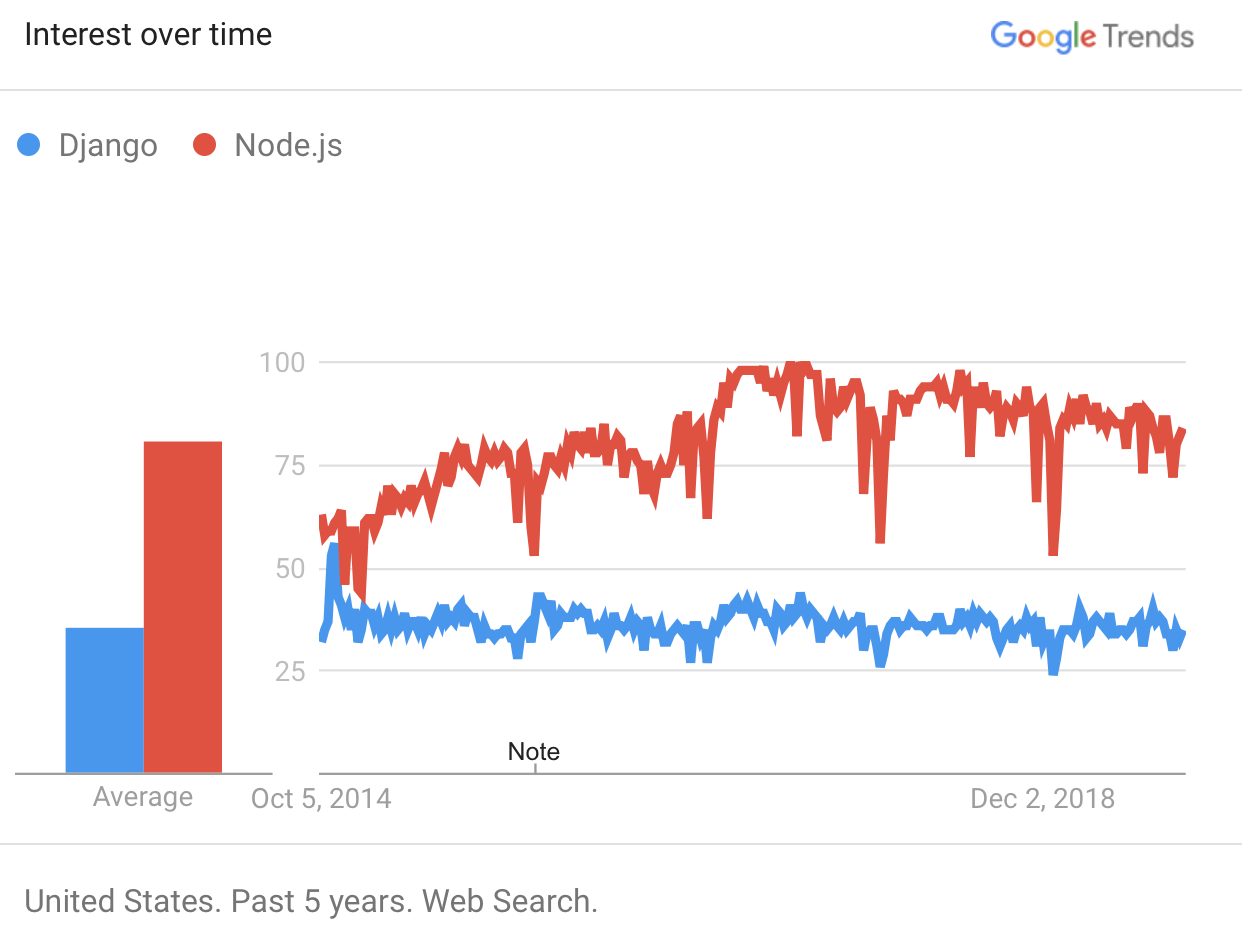 Google Trends between Django and Node.js
However, this did not mean that Django was a bad option. I was surprised to learn that many prominent companies, like Pinterest, Dropbox, and Instagram, were using Django. I reasoned that those companies must have done enough research to justify using Django over Node.js. Also, Django was a big plus for me since I was already comfortable with Python and wanted to build my website as soon as possible. So I decided to go with Django.
There are two main resources I used to learn Django: official documentation and YouTube.
- Django Official Tutorial for a thorough review
- CS Dojo’s Making a To-Do App with Django for a simple Django example
I spent my first two weeks going through the official tutorial. I encourage you to do the same. I went through the tutorial twice. The first time I just went through all the examples and codes, and the second time, I started to tweak the code to create my website. The method is simple—after you learn the fundamentals, you try and fail until you get it the way you want it. At this stage, I just made sure I had a properly working search function and a database like below:
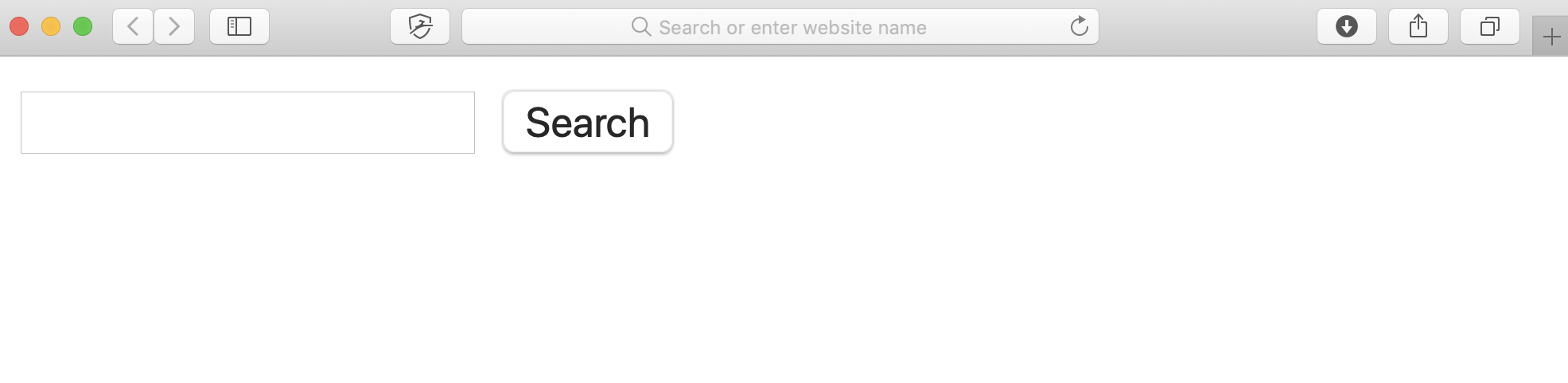 Example of how bare-bone the website looked without styling.
If you want to read more about the differences between Django and Node.js, here are some links (in no particular order):
- Sites Built with Django
- Node vs. Django: Article Link 1 , Article Link 2 , Article Link 3
3. Front End — Bootstrap, React, Angular, Javascript, HTML, CSS
Now that I have a website with a basic structure, it is time to make it look pretty. I definitely did not want a crappy looking website. In the beginning, I didn’t know any better, so I started to style manually with HTML and CSS. I had a lot of trouble trying to figure out consistent styling and a mobile-friendly interface. That is when I came across Bootstrap, and it saved my life.
According to its official website, Bootstrap is the “world’s most popular front-end component library for building responsive, mobile-first websites.” Its mobile-first philosophy implies that the components are built for the mobile experience first and desktop versions are simply larger versions of the mobile site.
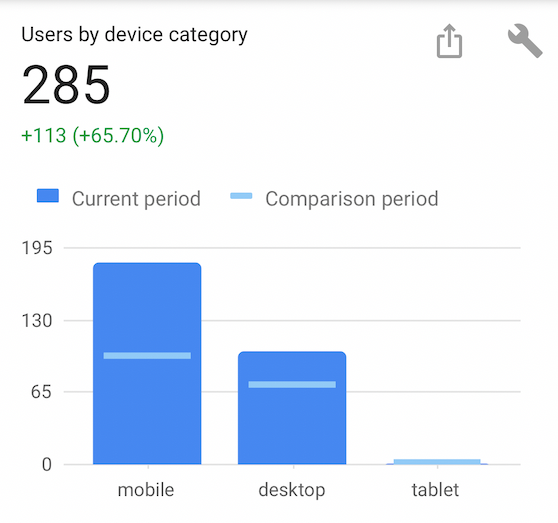
In the past, I had created a desktop version and a separate mobile version, and discovered this to be very inefficient. Bootstrap, however, takes care of this issue for me. Being mobile-friendly is important because many people browse the web using their smartphones these days. Even for Salary Ninja, there are almost twice as many mobile visitors compared to desktop visitors, so I knew I had better focus on mobile user experience.
Bootstrap provides many predefined classes/styles that you can easily use. For example, I used its template for navigation bars, input form, tables, footer, and more. Please check out its official documentation:
Still, you need to know basic HTML, CSS, and Javascript to use Bootstrap, so I suggest you learn the basics online. Perhaps check out Code Academy:
Before I move on, I must mention other popular front-end libraries/frameworks: Angular, React, and Vue. I cannot comment on them too much since I do not have much experience with them. I didn’t feel the need to use them for my simple website. But if you want to be serious in becoming a front-end developer, you should definitely look into them. Below is a simple trend comparison.
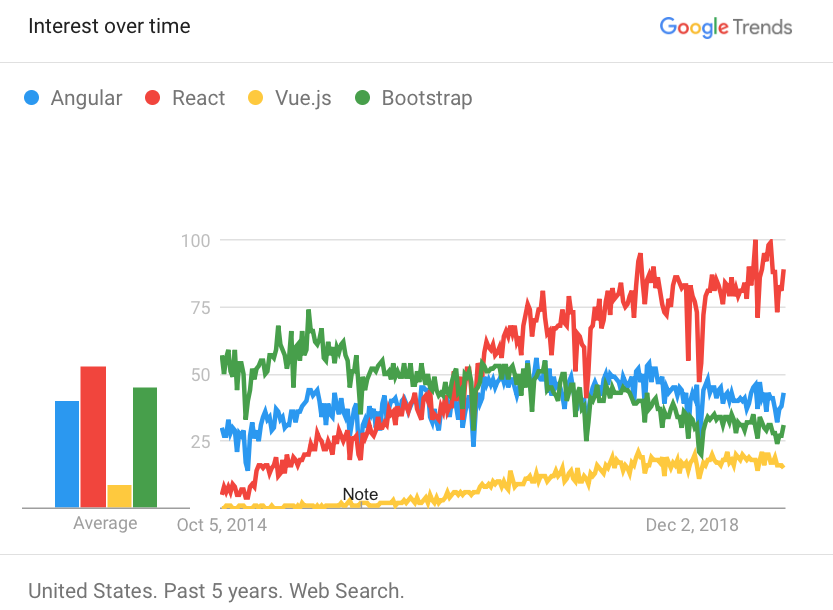
Google Trend between Angular, React, Vue, and Bootstrap
References if you want to read further:
- React vs. Angular
- Quora: React vs. Bootstrap
- Stackshare: React vs. Bootstrap
4. Tables and Plots — Chart.js, DataTables
Chart
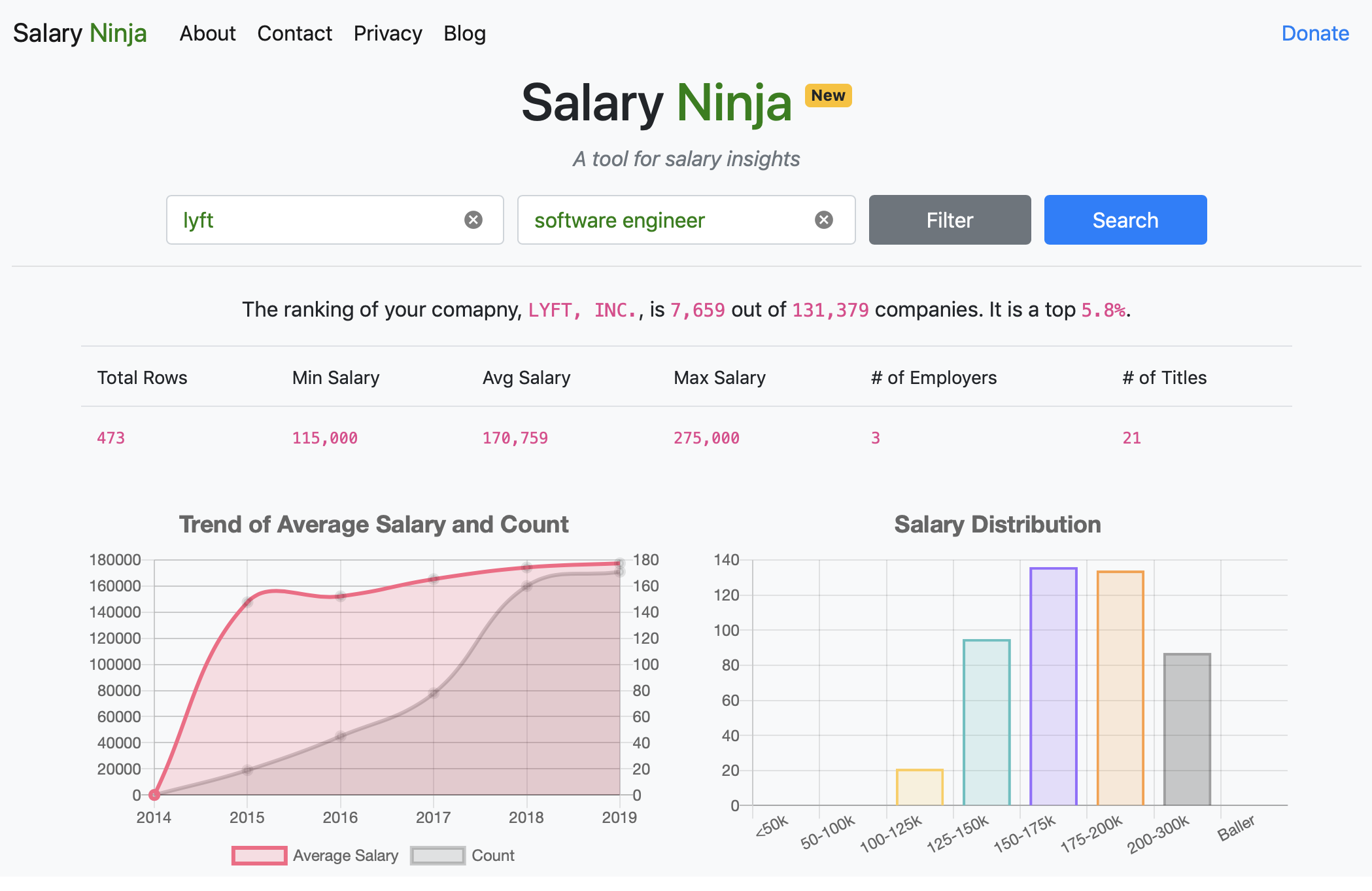
Like the image above, I wanted my search result to display an interactive plot. My first thought was using D3.js, but it turned out to be too complex for what I needed. Chart.js was a better option for me for a more simple plot. I recommend D3.js if you want to plot something more custom and complicated. I was able to create the chart above by using Chart.js’s simple template. Please learn more about them in the links below:
- D3.js: https://d3js.org
- Chart.js: https://www.chartjs.org
Table
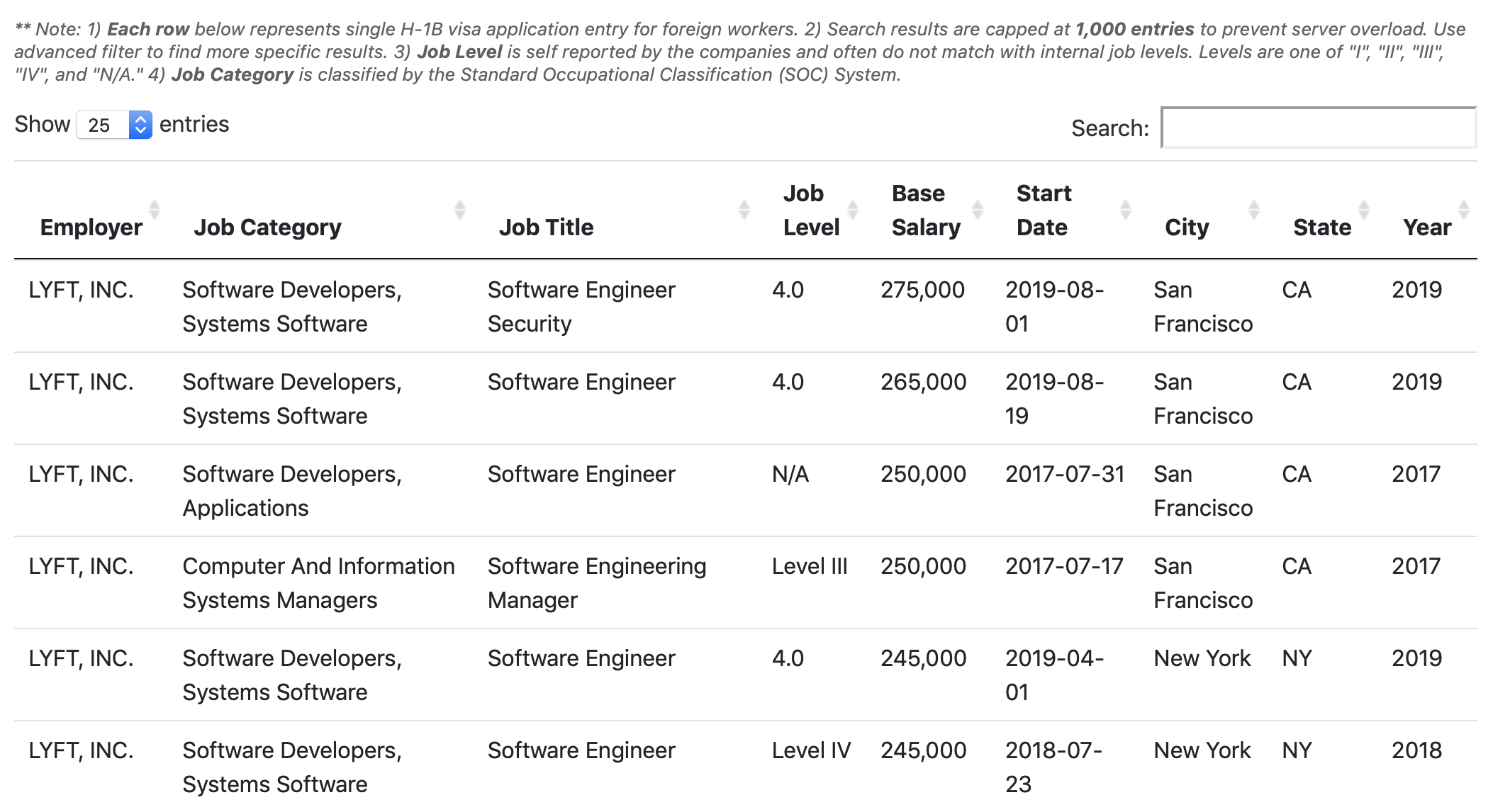
Next up, I wanted my table to have some features such as pagination, display options, search bar, and sorting. Bootstrap table provides some functions/stylings, but it was not enough for me. Then I came across DataTables, which “adds advanced interaction controls to your HTML tables.” I ended up combining both Bootstrap and DataTables to get the best of functions and styling. Please check out the references below:
- DataTables
- Example of adding pagination
5. Deployment — AWS, GCP, DigitalOcean

Now that I have a functioning, beautiful (?) website, I need to make it accessible from the internet so that anyone can reach the site. My criteria was:
- Cheap: I wasn’t going to make much — if any — money from this project. Thus, I wanted to keep the monthly operational cost low. I was okay to compromise on performance as long as it was decent. (Looking back, I am now trying to make the performance better, so I wonder if this was a bad choice.)
- Relevant: I wanted to use technology that’s relevant today and not something outdated. That is, I wanted to use a trustworthy and up-to-date company.
- Simple: I did not want to spend weeks learning a new environment/platform.
There were three options I looked into: Amazon Web Services (AWS), Google Cloud Platform (GCP), and Digital Ocean.
Choose:
- Digital Ocean if you want the simplest and cheapest option. Despite the simplicity, they seemed quite popular and robust in services.
- AWS if you want to have the most customizable and powerful solution. However, it has the steepest learning curve and most people do not enjoy its user interface. It can be overwhelming since they have so many options and customizations.
- GCP if you want something in between. It is more user-friendly than AWS but less customizable.
Digital Ocean was an easy choice for me because it seemed to have really good documentation/tutorials and only cost me $5/month. GCP and AWS will cost you around $20/month for the cheapest options. Here’s a comparison of Digital Ocean and AWS.
There are a few more tutorials you will have to go through to set up your server on DigitalOcean, connect your custom domain name, and set up SSL. DigitalOcean provides good tutorials on how to do these. Check below:
- DigitalOcean: How To Set Up Django with Postgres, Nginx, and Gunicorn on Ubuntu 18.04
- DigitalOcean: Initial Server Setup with Ubuntu
- DigitalOcean: How to Add Domains
- How to add a GoDaddy Domain with DigitalOcean
- DigitalOcean: How to Encrypt Your Website (HTTPS)
6. Business
Now that you completed your website, there is a business side to your project. You can use Google Analytics to understand more about your audience, Google Adsense to monetize your website and add a Paypal Donate Button to get donations from your fans. I encourage you to check them out.
Again, I encourage you to check out the links to learn more about them. Each of them is relatively simple to set up and implement.
Conclusion
Hey, thanks for reading this article! Every time I finish a project, I try to write an article about it so I can document and share my process. I have no idea what the fate of my website will be, but I want to continue to make it better. I think the area that needs the most work is the query speed. If you have any tips, please let me know in the comment section!
I recently added a new company ranking feature. You can see where your company stands in terms of average salary.

Company Ranking feature
There is much more front-end skill that I want to learn and explore, such as React and Node.js. I hope I get to them one day. I hope you found this article informative and learned something new. Thank you again for reading!
Feel free to check out my previous projects/articles:
- Medium: How to Data Science Without a Degree .
- Medium: How to Stay Up To Date as a Data/Research Scientist .
- YouTube: Beating Facebook’s Word Blitz Game with Deep Learning.